


Learn how to apply, check, and recover your ZRA TPIN in Zambia. Step-by-step guide, requirements, and common issues explained.
How to Register a TPIN at ZRA in Zambia?
A Taxpayer Identification Number (TPIN) is a unique computer-generated number allocated to a taxpayer under a Limited company, Partnership, Sole trader/proprietor and other. To register a TPIN at ZRA in Zambia, simply follow these instructions. Discover the prerequisites, procedure, and advice for quick approval of online applications.
- Visit the official Zambia Revenue Authority website at zra.org.zm
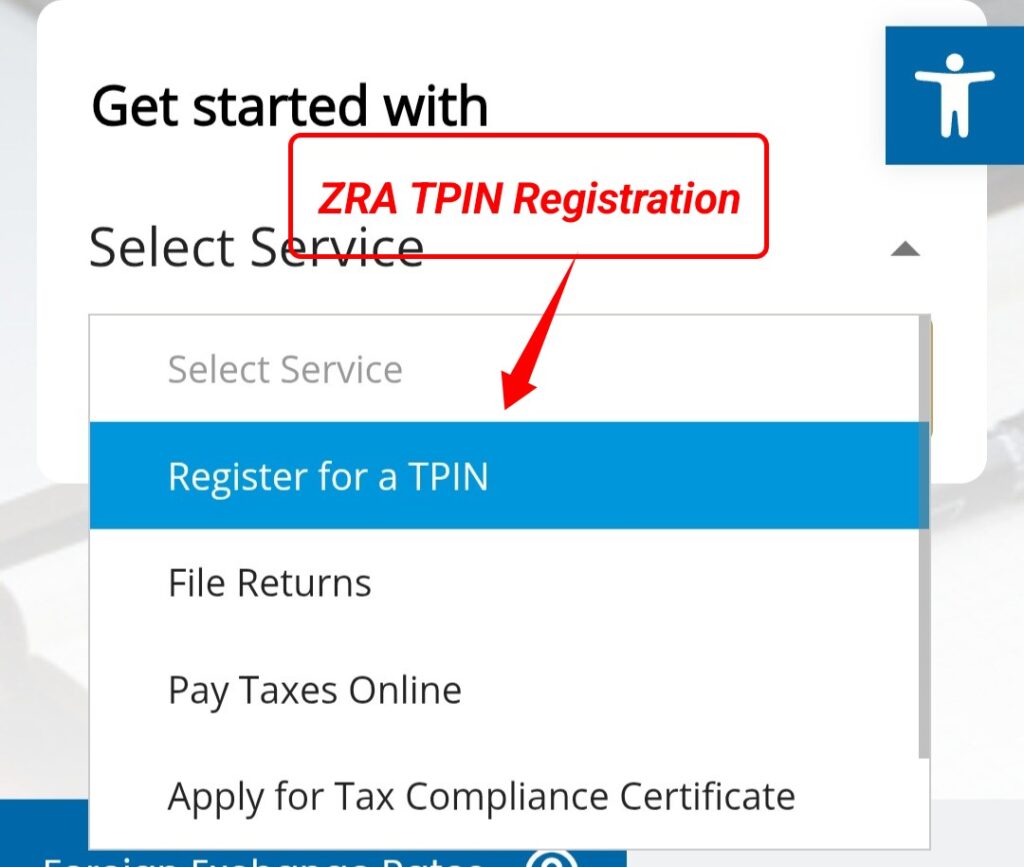
- While on homepage click select services and choose “Register TPIN”
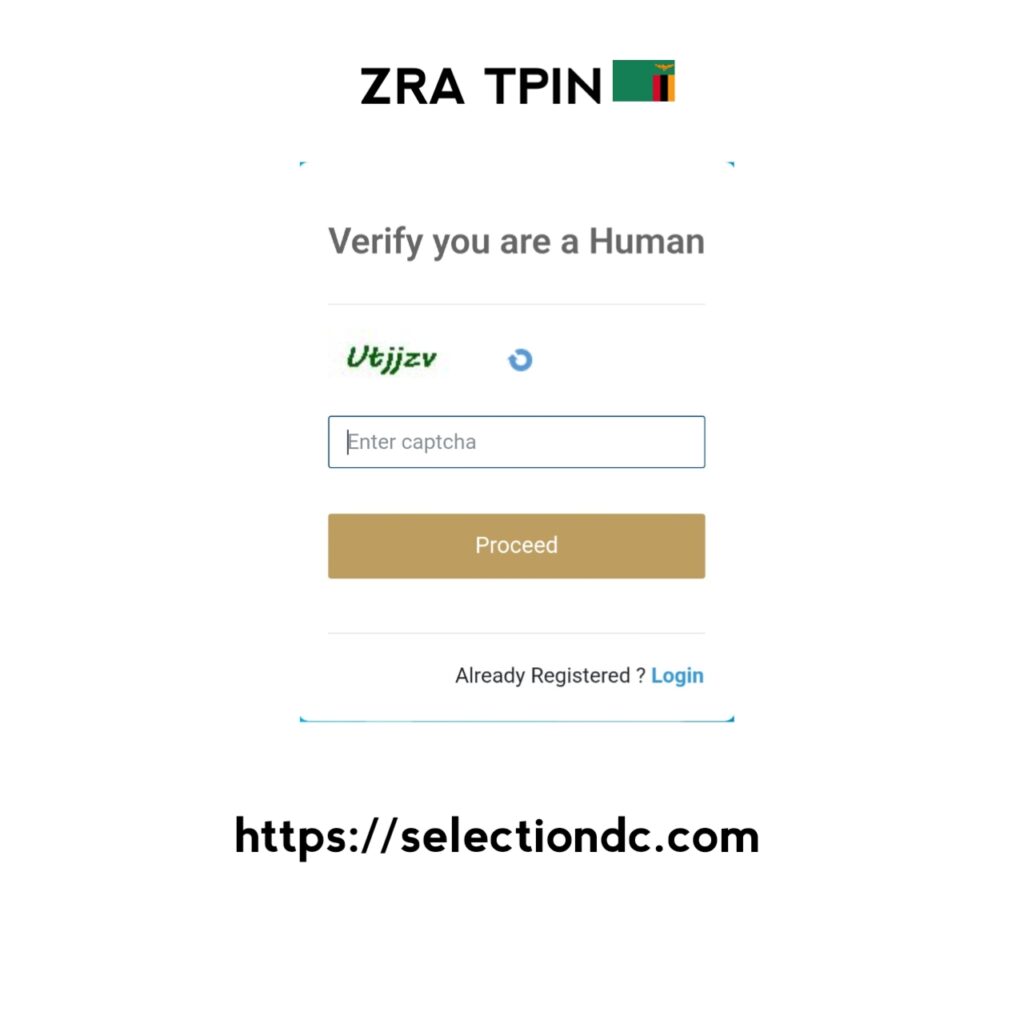
- You will be taken to the human verification prompt. Fill the prompt and click proceed.
- Select which taxpayer you are. i.e. individual non-resident, individual resident, etc. and fill in the required information, including your name, mobile number, physical address, email etc.
- Select the reason for TPIN registration and then upload the required documents, such as NRC Card (for residents), the passport (for foreigners), proof of residence and a sketch map of your physical address. NB: The documents required will vary depending on which taxpayer you are.
How to Recover ZRA TPIN in Zambia?
Here’s a step-by-step guide on how to recover your ZRA TPIN in Zambia:
Online Recovery using ZRA Taxpayer Portal
- Visit the ZRA TaxOnline Portal: https://www.zra.org.zm.
- Click the “Forgot TPIN / Reset TPIN” (or similar option).
- Enter your National Registration Card (NRC) or passport number (for non-Zambians).
- Please enter your registered email address or mobile number.
- To authenticate your identity, simply follow the instructions.
You will receive your ZRA TPIN via email or SMS.
Recovery via ZRA Call Centre
- Call the ZRA Call Centre:
- +260 211 381111 or short code 5972
- Provide your personal details (full name, NRC/passport, date of birth).
- Request assistance to recover your ZRA TPIN.
- Follow any additional instructions from the ZRA officer
In-Person Recovery
- Visit your nearest ZRA Customer Service Centre.
- Bring your NRC/passport and any supporting documents.
- Request for ZRA TPIN recovery.
- ZRA staff will verify your identity and provide your TPIN.
How to Check my ZRA TPIN Online?
- Go to the ZRA TaxOnline Portal at https://www.zra.org.zm.
- If you already have an account, click “Login / Register”.
- If you have forgotten your TPIN, select “Forgot TPIN / Retrieve TPIN”.
- Enter your NRC or passport number (for non-Zambians).
- Please provide your registered email or phone number.
- Your TPIN will be displayed or delivered to you via email or SMS.
Importance of Paying Tax to ZRA?
The following is a summary of the main ideas highlighting the significance of paying taxes in Zambia:
- Finances public services including security, healthcare, and education in Zambia.
- Encourages the construction of utilities, roads, and bridges in Zambia.
- Encourages development and economic progress
- Uses social programs and redistribution to lessen economic disparity
- Reduces reliance on foreign help to ensure national independence
- Enhances accountability and governance
- Satisfies legal requirements and stays out of trouble
- Encourages local initiatives and community development
- Permits emergency reaction to crises and disasters
- Increases civic engagement and national responsibility
ZRA Contacts Information
Below are the key contact information for the Zambia Revenue Authority (ZRA) — useful if you need help with TPIN registration, tax questions, or general enquiries:
| Contact Type | Details |
|---|---|
| Organization Name | Zambia Revenue Authority (ZRA) |
| Physical Address (Head Office) | Revenue House, Kalambo Road, Lusaka, Zambia |
| Postal Address | P.O. Box 35710, Lusaka, Zambia |
| Main Phone | +260 211 380000 / +260 211 382831 / +260 211 382819 |
| National Call Centre | +260 211 381111 (Short code: 5972) |
| Customer Service Email | advice@zra.org.zm |
| Integrity Committee Email | zraic@zra.org.zm |
| General Enquiries Email | contactcentre@zra.org.zm |
| Official Website | https://www.zra.org.zm/ |
| Call Centre Short Code | 4111 (Customer Service) |