




The Department of Higher Education, Research, Science, and Technology DHERST login is essential for gaining access to the official application and admissions portals if you want to apply for postsecondary education in Papua New Guinea.
Prospective students, including Grade 12 school leavers and non-school-leavers (NSL), can apply, check status updates, and investigate qualified programs offered by accredited higher education institutions via DHERST’s secure online system.

With DHERST’s move from paper-based applications to a centralized digital platform, login access ensures a transparent, efficient, and streamlined selection process. Applicants can view available academic programmes, update personal data, and follow progress from application to final selection — all through one portal.
How to Sign Up for DHERST Login
Here’s how to sign up and apply via the National Online Application System (NOAS) at Papua New Guinea’s Department of Higher Education, Research, Science, and Technology (DHERST) portal.
Who may sign up?
Eligible students for dherst login are current Grade 12 graduates from secondary schools that are registered. Non-school leavers (NSL) who fulfill the requirements for matriculation or other qualifications may also apply; however, they must contact DHERST support or obtain an invitation letter from their matriculation center.
How to Access DHERST Login
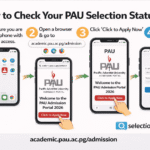
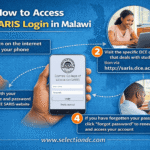
To access dherst login, applicants should visit the official portal at apply.dherst.gov.pg using any internet-connected device (laptop, smartphone, tablet). Credentials — username and password/token — are issued via an “invitation letter,” provided to Grade 12 students by their school principal or to NSL applicants by their matriculation centre. Once logged in, users can begin their application process immediately.
What you need before registering
- You must have the official “NOAS invitation letter” — for Grade 12 students, this is issued by your school principal or nominated teacher.
- A reliable email address.
- A device (computer, laptop, tablet or smartphone) with stable internet connection
How to register (step-by-step)
- Get your invitation letter
- If you are a Grade 12 student, ask your school principal or assigned teacher for your NOAS invitation letter.
- If you’re a non-school leaver (NSL), get the invitation letter from your matriculation centre, or contact the DHERST NOAS Support team.
- Visit the NOAS portal
- Open a web browser on your device and go to: apply.dherst.gov.pg
- Sign in / Activate your account
- Use the username and token (password) provided on your invitation letter to log in.
- On first login, your account becomes activated and you can begin the application process.
- Complete/Review your data
- Once signed in, go to the “MyData” section — ensure all your personal information is correct (name, contact, basic identity details, etc.). This is important for your application validity.
- Select programmes and apply
- Through NOAS you can browse the registered Higher Education Institutions (HEIs) and available programmes.
- Select your preferred programmes (often you may list more than one preference, depending on NOAS rules for that year) and submit your application online.
- (If required) Register for any prerequisite tests
- Some programmes require an entrance test (for example STAT-PNG). If your chosen programme needs it, you can use your NOAS account to register for this test.
- Monitor status and follow updates
- After submission, regularly check the “MyStatus” section in NOAS for application updates, selection results, and any further instructions from DHERST.
What You Can Do After Logging In
Once you’re logged in through DHERST:
- Browse all registered Higher Education Institutions (HEIs) and available programmes.
- Check your application status and submission data under “MyData” or “MyStatus.”
- For some institutions/programmes, register for prerequisite tests such as STAT-PNG directly via the portal.