





Learn how to complete NACTE verification in Tanzania. Check the requirements, steps, fees, and online procedures for verifying your NACTE certificates and academic credentials quickly and safely here at selectiondc.com.
What is Nacte Verification?
NACTE Verification is an official process provided by the National Council for Technical and Vocational Education and Training (NACTVET) in Tanzania to approve the authenticity of technical and vocational certificates. Students, graduates, institutions, and employers use this service to ensure academic documents are valid, accurate, and recognised. This guide explains the requirements, steps, fees, timelines, and how to track your nacte/nactvet verification online.
NACTE verification is the process of confirming that a certificate issued by a technical or vocational college is valid and legitimately awarded. It is required for College admissions, vacancies applications, Abroad studies ,etc. Through verification process, NACTE checks institutional records, certificate details, and graduate information to prevent fraud and ensure quality assurance.
Requirements for NACTE Verification
Before starting the verification process, ensure you have the following on your finger tips:
- Personal Information Full name, Date of birth, Valid mobile phone number and active email address
- Academic Documents; NTA Level certificates (Level 4–8), Diploma or bachelor-level technical certificates, Transcript or statement of results, Admission number/registration number.
- Supporting Identification; NIDA, Passport-size photo (if required)
- Payment Details; Control number generated from the NACTE/NACTVET verification portal and Mobile money account or bank account for payment
How to Apply for NACTE Verification Online
Follow these steps to complete your NACTE verification:
Step 1: Go to the official NACTVET online verification system. https://www.nacte.go.tz/tvetexhibition/index.php/site/login
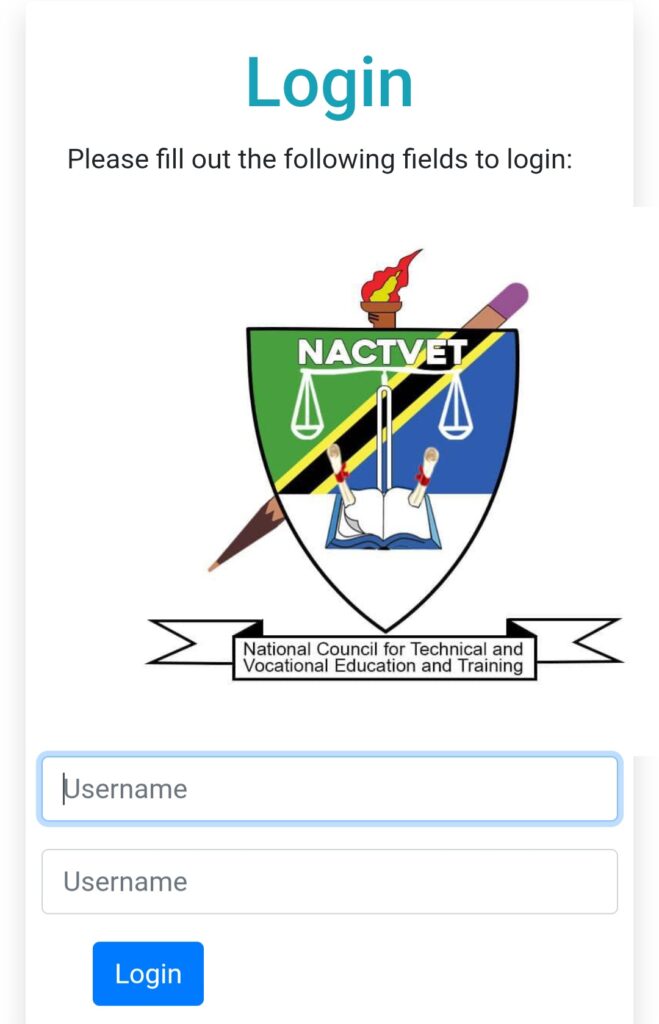
Step 2: Enter your email and password, Verify your account if you are a new user
Step 3: Select “Certificate Verification” from the dashboard menu.
Step 4: Provide Personal information, College attended, Program of study, Year of completion, Certificate number.
Step 5: Upload scanned copies of: Certificate, Transcript, NIDA ID, Any additional documents required
Step 6: Click “Request Control Number” to get the reference number for payments..
Step 7: Pay using: M-Pes, Tigo Pesa, Airtel Money, Halopesa, through banking such as NMB,CRDB etc.
Step 8: Submit Your Application and after payment is received, click Submit to finalize the verification request.
NACTE Verification Fees and Payment Methods
The cost of NACTE verification depends on the type of service requested. Typical fees include Certificate verification fee, Transcript confirmation fee, International verification charges (if applying for foreign institutions)
Payments can be made via Mobile money (M-Pesa, Tigo Pesa, Airtel Money, Halopesa), Bank deposits through NMB or CRDB, or Online banking systems. All payments must be made using the control number issued by the NACTE system.
How to Check NACTE Verification Status
After submitting your application, you can track its progress through the portal.
To check your status:
- Log in to the nacte verification portal
- Go to “My Applications”
- Select your verification request
- View the current status:
- Pending
- Under Review
- Completed
- Rejected (with reason)
Once approved, you can download the verification letter or confirmation report from your account.
Visit the official NACTVET website at https://www.nactvet.go.tz/ for more updates