





Access NECTA Prems to check student performance, exam results, and registration details online. Stay updated with the latest NECTA Prems information for smooth exam management.
NECTA PREMS is an acronym for the National Examinations Council of Tanzania’s Performance Monitoring System. NECTA uses an online portal to manage, monitor, and access student academic achievement data for national assessments.
The platform is intended to assist schools, instructors, and education officials in monitoring student performance on national exams such as CSEE (Form 4) and ACSEE (Form 6). It generates detailed performance reports for specific students, classes, and schools.
Key Features of NECTA PREMS:
- Access Student Results:
- Schools and teachers can view the performance of their students in national examinations.
- Performance Analysis:
- Provides detailed statistics and trends for student performance over time.
- Exam Management:
- Helps schools monitor exam registrations, attendance, and results submission.
- Reporting:
- Generates official reports for school administration, district education offices, and other stakeholders.
How to Register
NECTA PREMS is mainly designed for schools, teachers, and authorized education officials, so registration is not for individual students. Here’s how authorized users can register and access the system:
Step 1: Visit the Official NECTA PREMS Portal
- Open your browser and go to the official NECTA website: www.necta.go.tz
- Navigate to the PREMS (Performance Monitoring System) section.
Step 2: Request Access Credentials
- Schools or authorized personnel must request a username and password from NECTA.
- Typically, the school principal, examination officer, or district education officer can request access.
Step 3: Receive Login Details
- NECTA will provide official login credentials via email or official communication.
- Keep these credentials safe, as they are required to access sensitive student data.
Step 4: Login
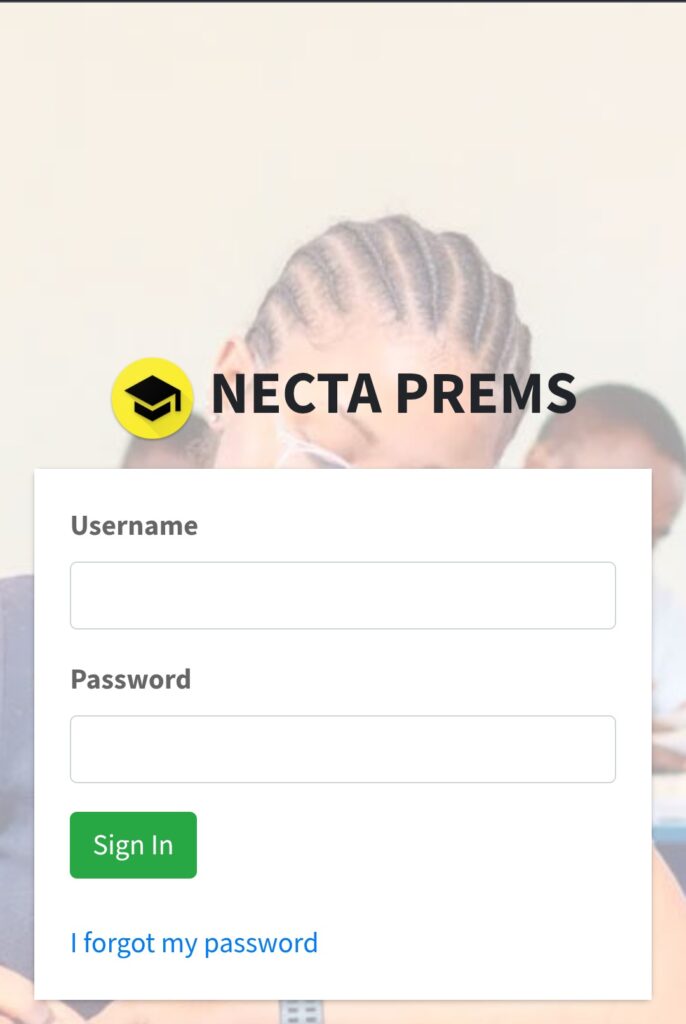
- Go to the NECTA PREMS portal.
- Enter your username and password.
- Complete any security verification (CAPTCHA or code sent via email).
Step 5: Complete School Profile (Optional)
- Some schools may need to update or verify school information in the system.
- Ensure the profile is accurate for proper performance tracking.
Step 6: Start Accessing Performance Reports
- Once registered and logged in, schools can:
- View individual student performance.
- Monitor class and school-level results.
- Download reports for official use.
How to Access NECTA PREMS.
- Visit the Official NECTA PREMS Portal, which is accessible through the NECTA website, accessing it by navigating to the footer pages.
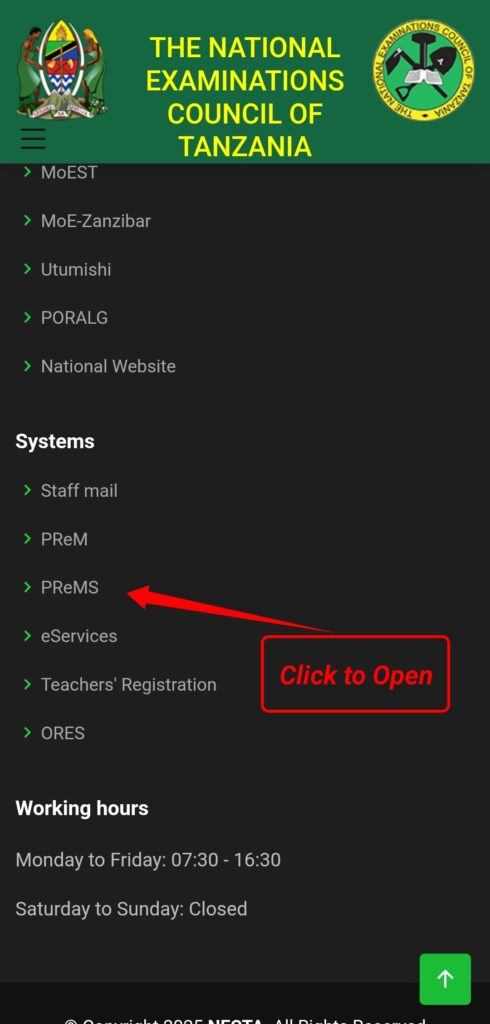
- Login with Credentials: Schools and authorised users must enter their official usernames and passwords.
- Select an exam type: CSEE, ACSEE, or another related exam.
- View Reports: Get individual, class, or school-level performance data.
- Download or Print: Reports can be downloaded or printed for official purposes.
Read More: FTNA, CSEE, ACSEE NECTA Results 2026
Benefits of Using NECTA PREMS
- Efficiency: Quick access to detailed student performance data.
- Accuracy: Reliable and official results directly from NECTA website.
- Data-Driven Decisions: Helps teachers and administrators identify gaps and improve learning outcomes.
- Transparency: Promotes accountability in exam results and school performance.