







TRA Calculator for Tanzania. Calculate PAYE (pay as you earn) tax, salary deductions, and net pay instantly using Tanzania Revenue Authority rates.

TRA Calculator Tanzania – PAYE & Salary Deductions
The TRA Calculator is a simple online tool that helps employees, employers, and accountants in Tanzania calculate PAYE tax, NSSF contributions, and net salary quickly and accurately. Using the latest Tanzania Revenue Authority (TRA) tax brackets, this tool ensures that salary deductions are calculated correctly, saving time and avoiding errors.
What Is the TRA Calculator?
A TRA Calculator is designed to compute:
- PAYE tax (Pay As You Earn)
- NSSF contributions (National Social Security Fund)
- Other statutory deductions
- Net salary after all deductions
It is especially useful for:
- Employees wanting to know their take-home pay
- Employers calculating payroll
- Job seekers comparing salary offers
- Accountants and finance officers ensuring compliance with TRA regulations
Read Also: Used Motor Vehicle Valuation Calculator Tanzania
How to Use the TRA Calculator
Using the TRA Calculator is straightforward:
- Enter your gross monthly or annual salary
- Input allowances such as housing, transport, or benefits
- Add statutory deductions like NSSF contributions if required
- Click “Calculate”
- View results including:
- PAYE tax amount
- NSSF contributions
- Net salary
TRA Tax Rates and PAYE Brackets in Tanzania
TRA calculates PAYE based on progressive tax rates. The current 2025/2026 PAYE brackets are as follows:
| Monthly Income (TZS) | Tax Rate |
|---|---|
| 0 – 270,000 | 0% |
| 270,001 – 520,000 | 8% |
| 520,001 – 760,000 | 20% |
| 760,001 – 1,040,000 | 25% |
| Above 1,040,000 | 30% |
PAYE is calculated on taxable income, which includes salary plus taxable allowances.
NSSF & Other Salary Deductions
Employees and employers contribute to the National Social Security Fund (NSSF). Typical contributions are:
Contribution Type Employee (%) Employer (%) NSSF 10% 10%
Other deductions may include:
- Pension schemes
- Loan repayments (if applicable)
- Cooperative contributions
The TRA Calculator automatically deducts these when computing net salary.
Understanding Your Net Salary
Net salary is the amount you take home after deducting:
- PAYE tax
- NSSF contributions
- Other statutory deductions
Gross salary = Basic salary + Allowances
Net salary = Gross salary – Total deductions
The TRA Calculator provides a clear breakdown, showing how each deduction is applied.
TRA Calculator Example
Suppose an employee earns TZS 1,100,000/month and has housing allowance of TZS 70,000.
- Gross income = 1,100,000 + 70,000 = 1,170,000 TZS
- PAYE calculation:
- 250,000 × 0% = 0
- 270,000 × 8% = 21,600
- 280,000 × 20% = 56,000
- 130,000 × 25% = 32,500
- 240,000 × 30% = 72,000
- Total PAYE = 182,100 TZS
- NSSF: 10% employee contribution = 117,000 TZS
- Net salary = 1,170,000 – 182,100 – 117,000 = 870,900 TZS
This breakdown is exactly what the TRA Calculator provides automatically.
Who Should Use the TRA Calculator?
- Employees: To know exact take-home salary
- Employers/HR personnel: For payroll calculations
- Accountants: For tax planning and compliance
- Job seekers: To compare offers and understand deductions
Benefits of Using the TRA Calculator
- Accurate and reliable calculations
- Saves time compared to manual computation
- Uses the latest TRA tax rates and NSSF contributions
- Helps with financial planning and budgeting
- Ensures compliance with Tanzanian tax laws
Step-by-Step Guide to Log in to TRA Calculator
Step 1: Visit the Official TRA Website
- Open your browser and go to the official TRA website: https://www.tra.go.tz
- Navigate to the “Online Services” or “PAYE/NSSF Calculator” section.
Step 2: Locate the TRA Calculator
- Look for links like:
- TRA Tax Calculator
- PAYE Calculator
- Online Services → Payroll/Employee Tax
- Click on the link to open the calculator portal.
Step 3: Log In (If Required)
Some calculators may require a TRA account:
- Click “Login” or “Sign In”

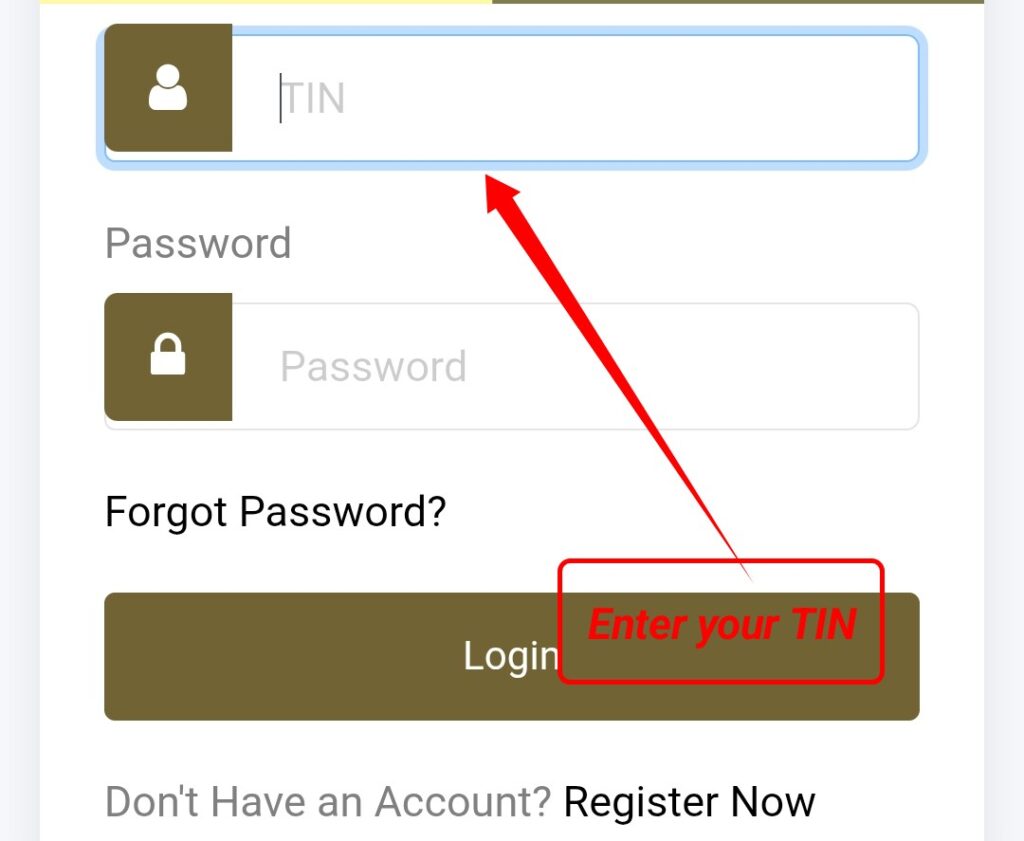
- Enter your TIN (Tax Identification Number)
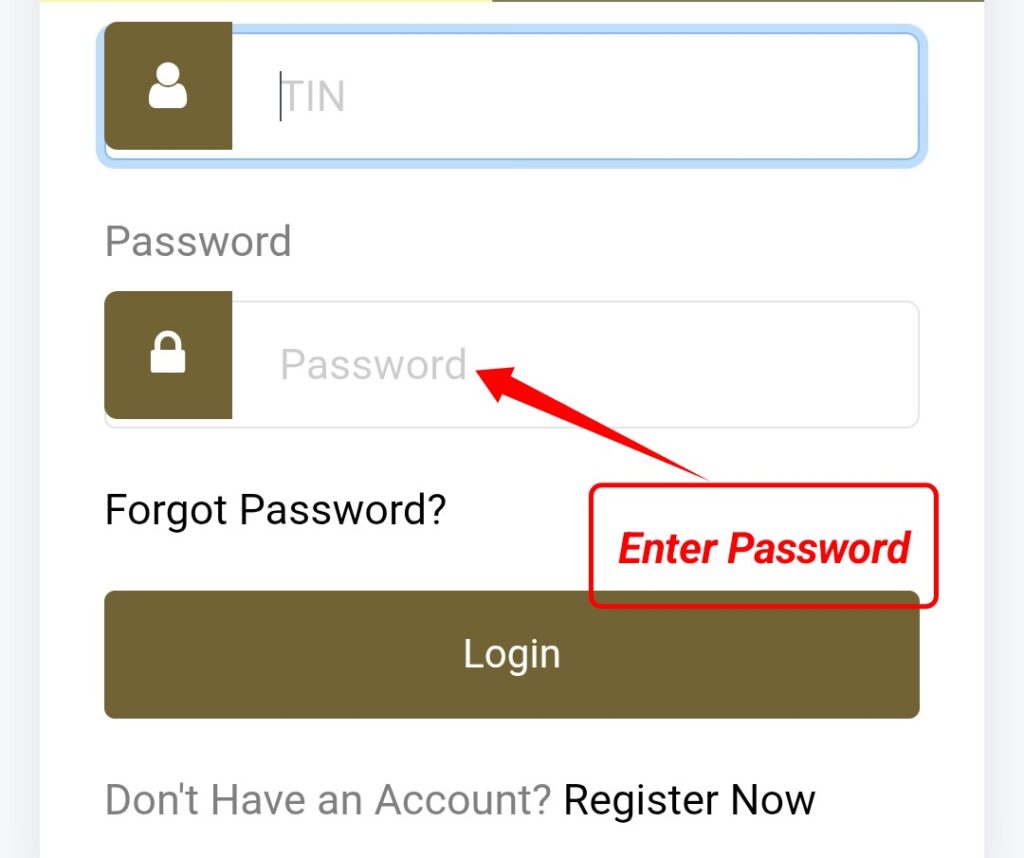
- Enter your username/password
- Complete any CAPTCHA or security verification
If you don’t have an account, there’s usually a “Register” or “Create Account” option.
Step 4: Input Your Salary Details
- Enter gross monthly/annual salary
- Enter allowances (housing, transport, etc.)
- Enter NSSF contribution if applicable
Step 5: Calculate
- Click “Calculate” or “Submit”
- The system will show:
- PAYE amount
- NSSF deductions
- Net salary
Step 6: Save or Print
- Most calculators allow you to download a PDF or print the breakdown for your records.